What Is an AI Agent Inbox? A Separate Address for One Task
An AI agent inbox is a separate, short-lived mailbox an assistant uses to receive mail for one task. Learn what it can do and what it cannot control.
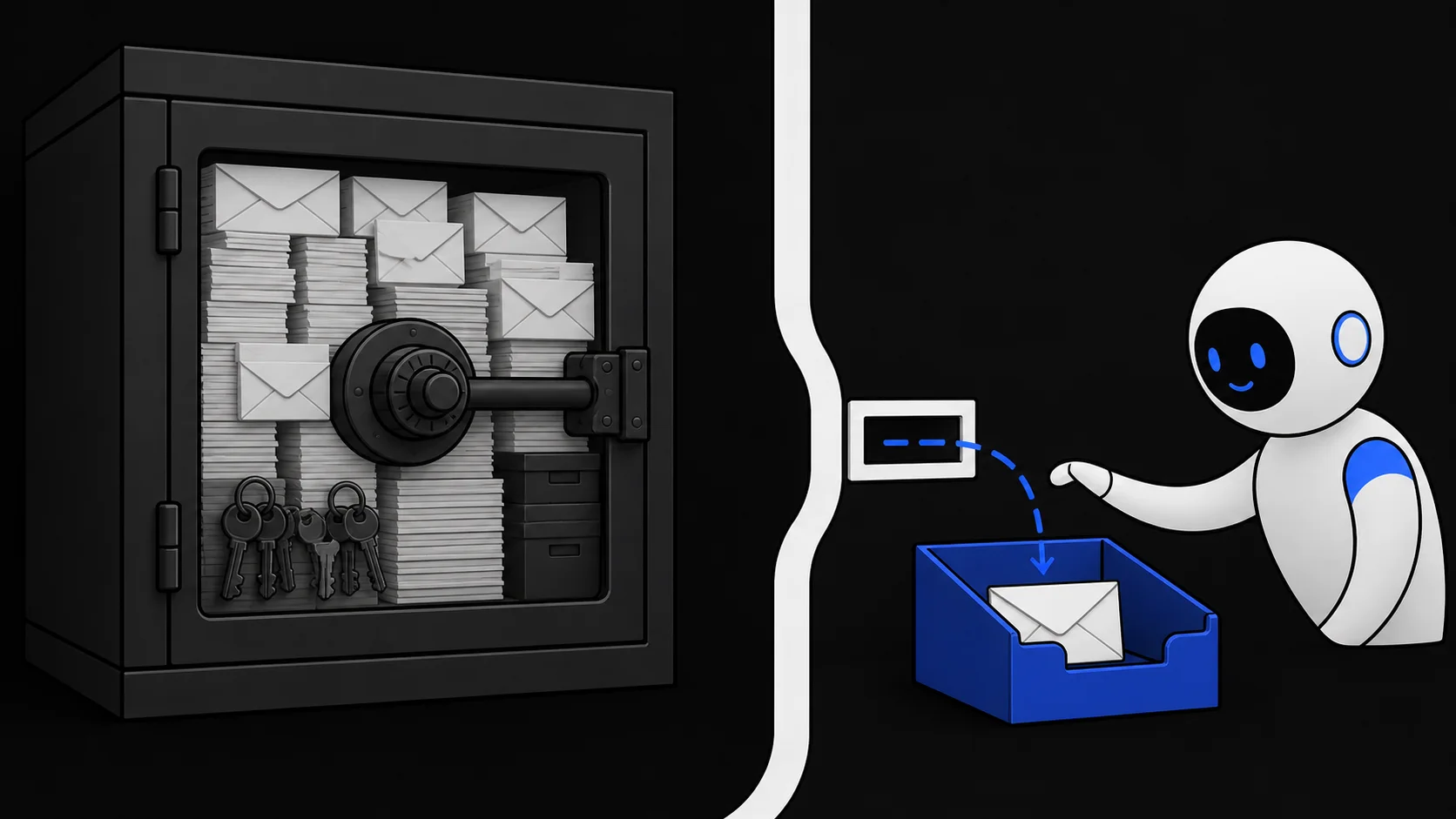
An AI agent inbox is a mailbox created so an AI assistant can receive email for one bounded task — a verification code, a confirmation, a download link — without touching anyone's personal mail. It sits between two other options people often reach for: your own mailbox, which contains years of history and recovery links, and a permanent mailbox registered in the assistant's name, which becomes a second identity you then have to maintain.
The idea is simple. The task needs a place where mail can arrive and a way for the assistant to read it. Neither requires your mail history, and neither requires an address that exists next month.
An address is not permission to read mail
When an assistant signs up for a service, two separate things happen. It enters an email address into a form, and it reads whatever arrives at that address. People often treat these as one act, but they are two different permissions, and they do not have to point at the same mailbox.
Typing your address into a form shares an identifier. Granting the assistant read access to your mailbox shares everything in it: bank statements, password resets, private conversations, links that unlock other accounts. A task that needs one verification code should not have to expose any of that.
The companion article on giving an AI your email versus inbox access walks through the authorization decision in detail. The short version: for a low-risk, one-off task, keep both the address and the read access away from your primary mailbox.
The separate-inbox model
A dedicated permanent mailbox for the assistant solves the exposure problem but creates a maintenance problem. Mail accumulates. The address gets attached to accounts. Over time it turns into another identity with its own recovery links and its own cleanup job.
A task inbox avoids that. It is created when the task starts, holds only what arrived for that task, and is deleted or expires when the task ends. Three properties define the model:
- Bounded lifetime. The inbox has a fixed end. There is no leftover mailbox to revisit or defend later.
- Scoped credential. The assistant holds a credential that opens only this inbox, not an account with other mailboxes attached.
- Receive-only service. The mailbox accepts incoming mail. The service does not provide a way to send mail from it.
What this service lets the agent do
On TempMail.Best, an agent uses its own access channel, separate from the browser session a person would use. With that channel the agent can:
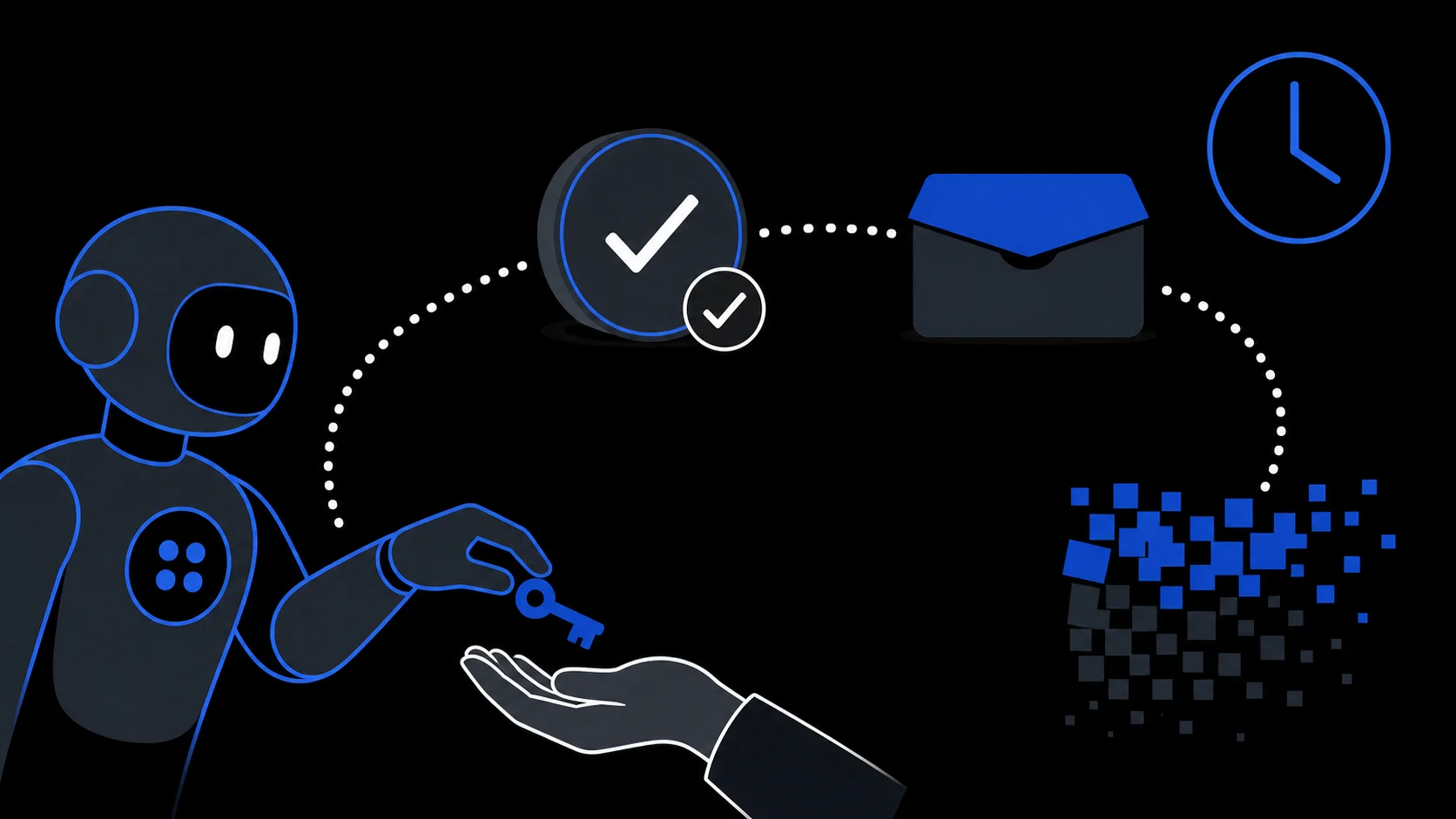
- create a mailbox with a lifetime of 10 minutes or 1 hour;
- wait for new mail by subscribing to mailbox-change events and, if its connection fails, polling the message list on its own;
- list message previews and open a message to read its full body;
- delete the mailbox and its messages when the task is done.
It cannot send email through this service. The credential it receives is a Bearer token tied to that one mailbox. There is no account behind it and no other mailbox it could reach.
The inbox rules are fixed: the lifetime is set at creation and receiving mail does not extend it; only the newest 20 messages are kept; a single raw message is limited to 1 MiB; after expiry the mailbox cannot be accessed again. These limits bound this mailbox's lifetime and stored mail; they do not make the assistant safe or restrict its other tools.
What the agent's other tools can still do
The inbox boundary limits which mail the assistant can see. It does not limit the assistant. If the same assistant also has a browser, a code interpreter, file access, or other authorized integrations, those remain exactly as powerful as before, and a separate inbox does nothing to shrink them.
This matters for the main threat in AI email handling: prompt injection. Email content is untrusted input, and a message can carry text written to redirect the assistant toward actions the user never approved. OWASP ranks prompt injection as the top risk for LLM applications, including indirect injection through external content like email (OWASP LLM Top 10). A temporary inbox limits how much mail is exposed, but it does not stop a manipulated assistant from misusing its other tools.
For the same reason, telling the assistant to "treat email text as data, not commands" is a working instruction, not a technical guarantee. Models do not reliably separate instructions from content. How injected text crosses the permission boundary, and where human approval has to sit, is covered in prompt injection in plain English.
One more boundary to name: the inbox also does not conceal what the assistant submits elsewhere. If the task involves filling forms, clicking links, or paying for something, those actions carry your information regardless of which mailbox received the confirmation.
End the task and check access
When the assistant reports the task complete, confirm the result first. Then close the inbox: the agent can delete its mailbox through the agent API, or you can let that mailbox expire on schedule. A browser session cannot stop an agent-created mailbox — the two access channels are isolated from each other. Once the mailbox is gone, its credential no longer opens anything.
Be precise about what that ends. Access to this inbox is over. It says nothing about the assistant's other permissions, active sessions, or connected tools on the AI platform you used — those are managed separately, and deleting the inbox does not revoke them. It also cannot un-read what the assistant already saw, so the time to limit exposure is before the task starts, not after.
If you want a concrete run-through before authorizing a real task — what to check, what to refuse, and what to verify afterward — the checklist is in email verification with an AI agent.
An agent inbox answers a narrow question: where should task mail land so the assistant can read it without reading you? Give it that, and nothing more.